Moving StoresChecked against the product on
Read your home dashboard
Home is the first page of the Moving Stores dashboard: sales for the period you pick, what needs your attention now, recent orders, top products and low stock.
On this page
The Home page brings together sales, the queues that need you and the setup checklist. Every team member can open it, but it only shows each member the sections their role allows.
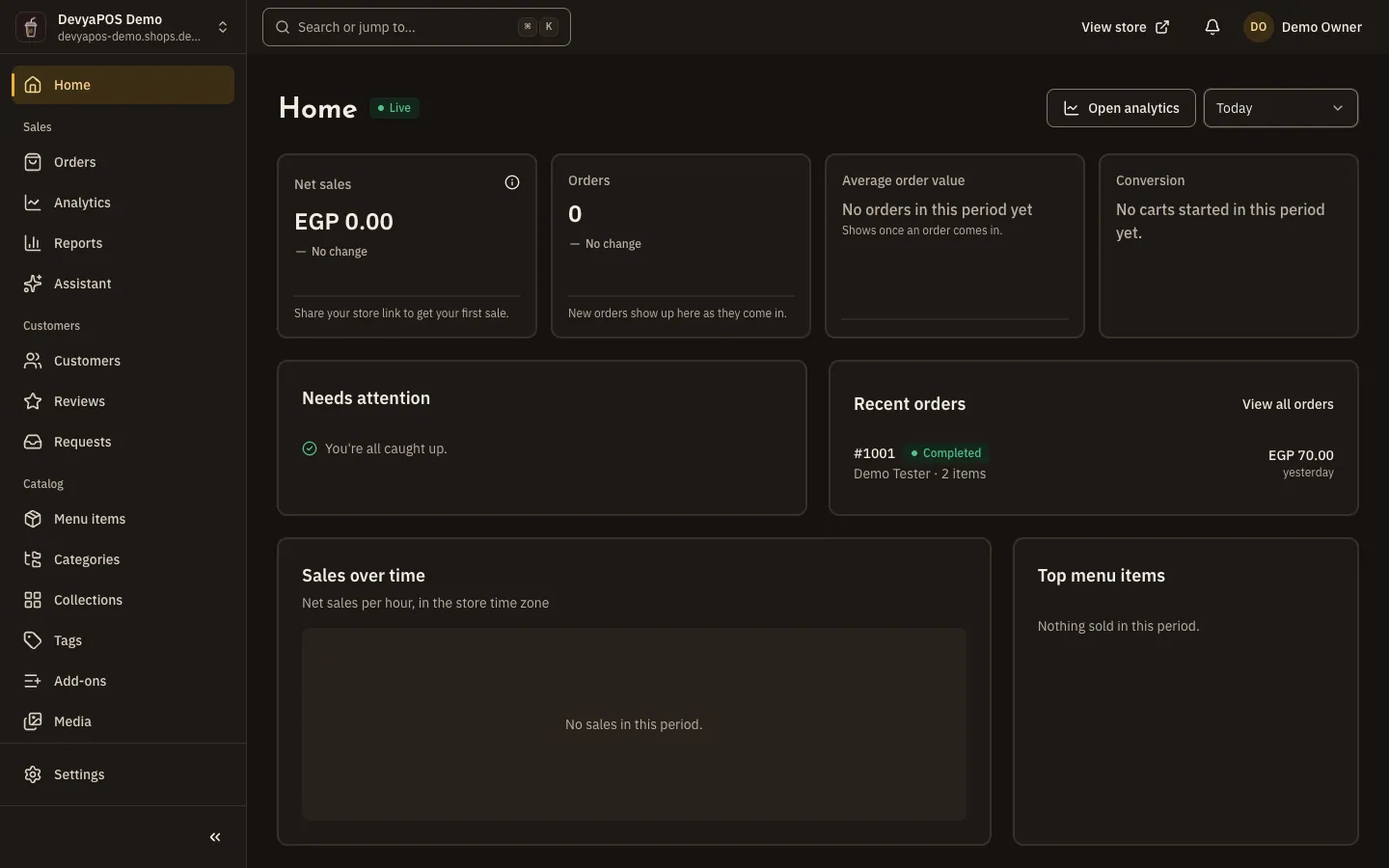
Pick the period and location
- Period: Today, Yesterday, Last 7 days, Last 30 days, This month, Last month or a Custom range of up to 92 days.
- Location: All locations or a single one.
- The store status at the top of the page: Live, Maintenance or Closed. Click it to open the general settings.
The sales figures
| Figure | What it means |
|---|---|
| Net sales | Click How net sales add up to see the sum: Gross sales − Discounts + Shipping + Tax = Total sales, then − Refunds = Net sales. |
| Orders | The number of orders in the period. |
| Average order value | What a customer pays on average per order. |
| Conversion | Online store orders per cart started. Only available for the last 30 days, and worked out for the whole store, so it disappears when you pick a single location. |
For details and a comparison with an earlier period, click Open analytics. All figures are in the store's time zone.
The cards on the page
- Needs attention: counts of what is waiting for you, such as New orders, Awaiting payment, To fulfil, Delivery problems, Scheduled for today, Unread reviews, Open requests and Low stock. Click any line to open its list.
- In a restaurant linked to Moving POS (shown in the dashboard as Drinki POS), Not sent to Drinki POS also appears, for orders that didn't reach the till.
- Recent orders and Sales over time: net sales per hour when you pick a single day, and per day for longer periods.
- Top products (in restaurant stores, Top menu items) and Low stock.
- For a new store: the Your store is ready for its first order card with Visit your store, Copy store link and Add a product (in restaurant stores, Add a menu item), and the setup checklist. See Onboarding and launch.
Why is conversion missing?
It only shows for periods within the last 30 days, and it is worked out for the whole store, so it disappears when you pick a single location.
Why can't my colleague see the sales figures on Home?
Home only shows each member the sections their role allows.