Moving StoresChecked against the product on
Create an order by phone or at the counter
Record an order for a customer who called or came to your shop: choose the customer, how they get it and the items, and the order is priced live until you place it.
On this page
Before you start
- The Create orders permission.
The New order page builds the order section by section and prices it as you go, with your store's prices, coupons and shipping fees. Nothing is saved until you click Place order, and the order is recorded with the Admin channel.
Create the order
Step 1: Open the page
From the sidebar, open Sales › Orders, then click New order.
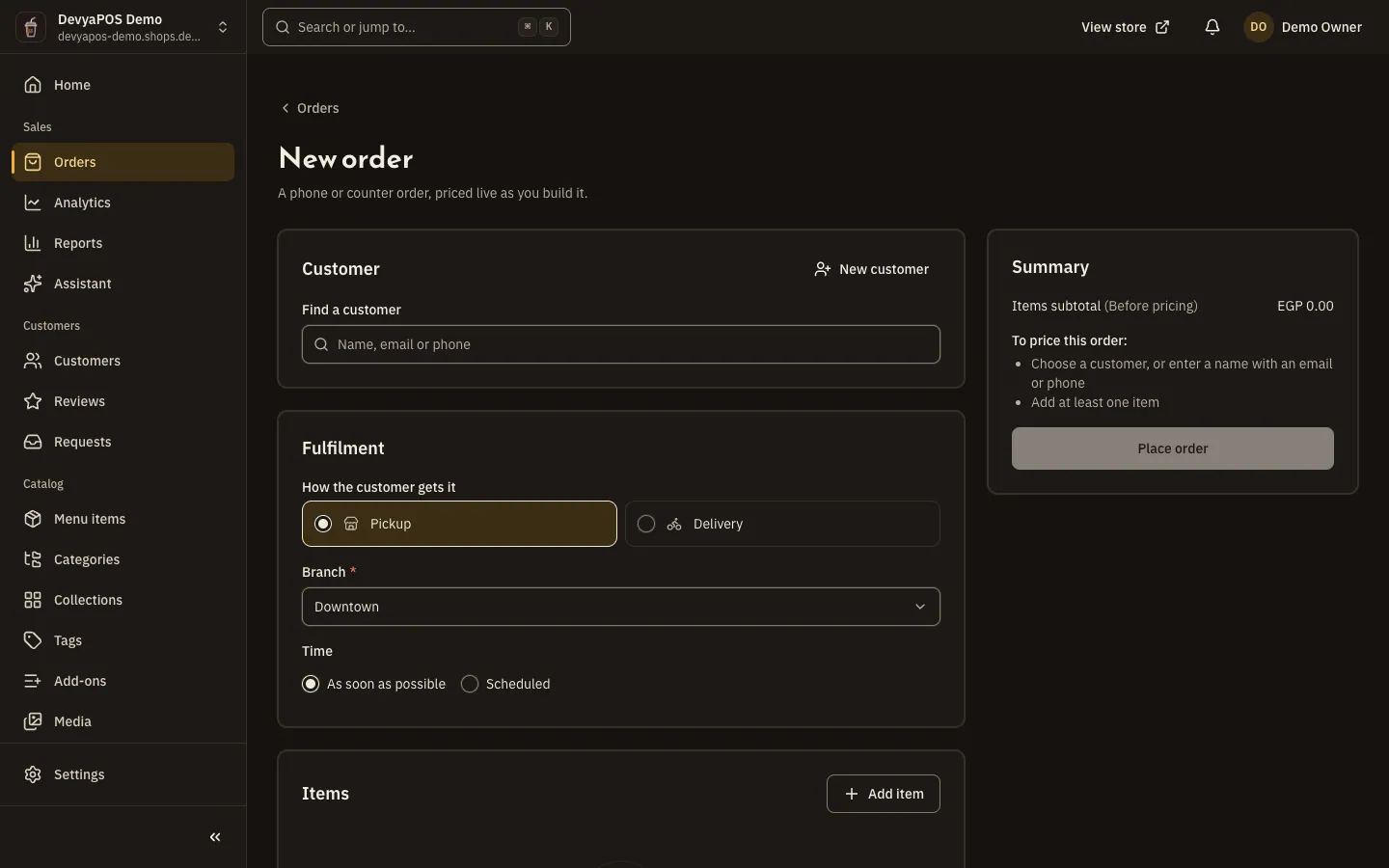
Fig. 1 —The summary updates with every change and lists what is still needed to price the order. Step 2: Choose the customer
Under Customer, use Find a customer by name, email or phone, or choose New customer and enter a name with an email or phone. A restaurant order needs the customer's phone.
Step 3: Choose how they get it
Under Fulfilment › How the customer gets it, choose Shipping or Pickup in a shop, and Delivery or Pickup in a restaurant. Pick the Location or Branch and enter the address; in a restaurant, choose As soon as possible or Scheduled.
Step 4: Add the items
Under Items, click Add item, pick the option and quantity, and add an Item note if needed. In a restaurant, choose the Add-ons following each group's rule.
Step 5: Apply a discount and choose shipping
Enter a Coupon code and click Apply; automatic discounts appear on their own. Then pick the shipping method, or the Delivery zone in a restaurant.
Step 6: Choose payment and place the order
Under How the customer pays, choose Cash on delivery or Bank transfer, add a Customer note if there is one, then click Place order. The new order's page opens.
When the order can't be priced
Under To price this order:, the summary lists what is missing: a customer, at least one item, the location or branch, or the address with its city and street. A line can also be flagged No longer available, Not enough stock or Check the add-ons; fix it before placing the order.
Can I take a card payment on a phone order?
No. Orders your team creates take cash on delivery or bank transfer only, and unavailable methods show the reason.
Can I create an order while the store is closed?
Yes. The store's open or closed state isn't checked for orders your team creates.
Where does the order show after I place it?
In the order list like any other order, and it goes through the same stages: take an order from accepted to delivered.